Maggie's Capabilities
Everything Maggie can do to help your team work smarter.
Overview
Maggie is a powerful AI assistant with access to your team's knowledge, connected integrations, and a wide range of tools. Here's everything she can help you with.
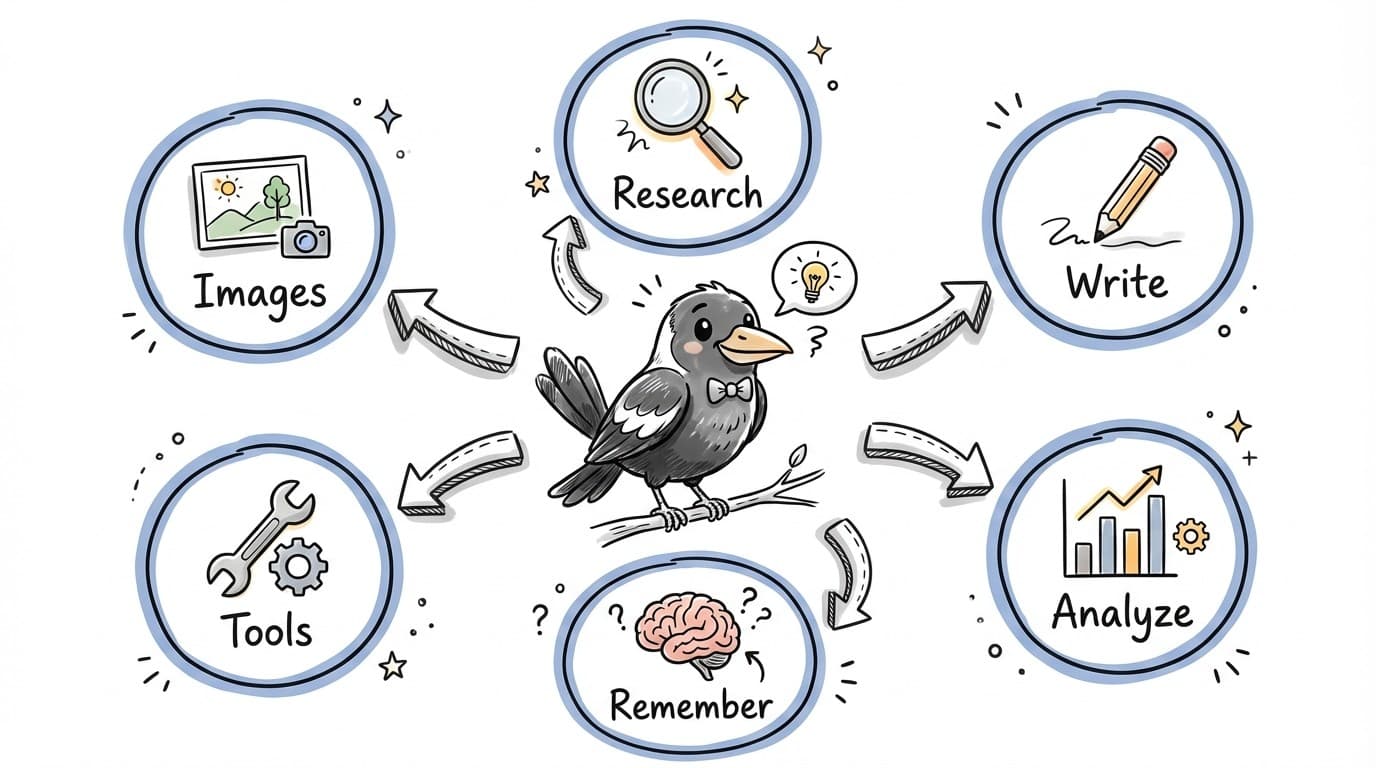
Core Capabilities
Research & Find Information
Maggie can search the web for current information or look through your team's saved knowledge in The Brain.
Try saying:
- "Research the latest trends in sustainable packaging"
- "What do we have saved about our competitor's pricing?"
- "Find recent news about AI in healthcare"
Write & Create Content
From emails to blog posts to summaries, Maggie can help you write almost anything in your preferred style.
Try saying:
- "Write a follow-up email to the client about our meeting"
- "Summarize this document in 3 bullet points"
- "Draft a LinkedIn post about our new feature"
Analyze & Explain
Give Maggie data, documents, or complex topics and she'll help you understand them clearly.
Try saying:
- "What are the key takeaways from this report?"
- "Compare these two proposals and highlight the differences"
- "Explain this technical concept in simple terms"
Remember Important Things
Tell Maggie facts about your business and she'll remember them for future conversations.
Try saying:
- "Remember that our office hours are 9am-5pm Monday to Friday"
- "What do you remember about our refund policy?"
- "Remember that John prefers email over phone calls"
Work with Your Tools
Maggie can interact with connected services like Slack, HubSpot, Google Drive, and more.
Try saying:
- "Find the latest proposal in Google Drive"
- "What deals are in our HubSpot pipeline?"
- "Send a message to the marketing channel in Slack"
Create Images & Media
Need a quick image or visual? Maggie can generate images based on your description.
Try saying:
- "Create an image of a modern office space"
- "Generate a simple diagram showing our process"
- "Make a thumbnail image for our blog post"
Advanced Capabilities
Run Workflows
Maggie can trigger automated workflows on your behalf, handling multi-step processes with a single request.
Try saying:
- "Run the weekly report workflow"
- "Start the client onboarding process for Acme Corp"
Schedule & Plan
Get help planning projects, organizing tasks, and thinking through timelines.
Try saying:
- "Help me plan the product launch"
- "What should I prioritize this week?"
Transform & Convert
Convert content between formats, translate languages, or restructure information.
Try saying:
- "Convert this table to a bulleted list"
- "Translate this email to Spanish"
Provide Recommendations
Get AI-powered suggestions based on your context and goals.
Try saying:
- "What's the best approach for this client?"
- "Suggest improvements for this proposal"
Current Limitations
While Maggie is powerful, there are some things she can't do yet:
- Access real-time information without web search (her training has a cutoff date)
- Perform actions on services that aren't connected as integrations
- Remember things across different teams (memories are team-specific)
- Make purchases or financial transactions
- Access private/confidential data you haven't explicitly shared
Getting the Best Results
- Be specific: The more context you give, the better Maggie can help
- Share examples: Show Maggie what you're looking for with samples
- Iterate: Ask follow-up questions to refine outputs
- Use The Brain: Save important context so Maggie can reference it
- Connect integrations: The more tools connected, the more Maggie can do