Approvals
Understand the two ways to add human oversight to your workflows.
Overview
Magpai provides two mechanisms for human approval in workflows: dedicated Approval Steps and Guardrails on Prompt Steps. Understanding when to use each helps you build effective, safe workflows.
Two Types of Approval
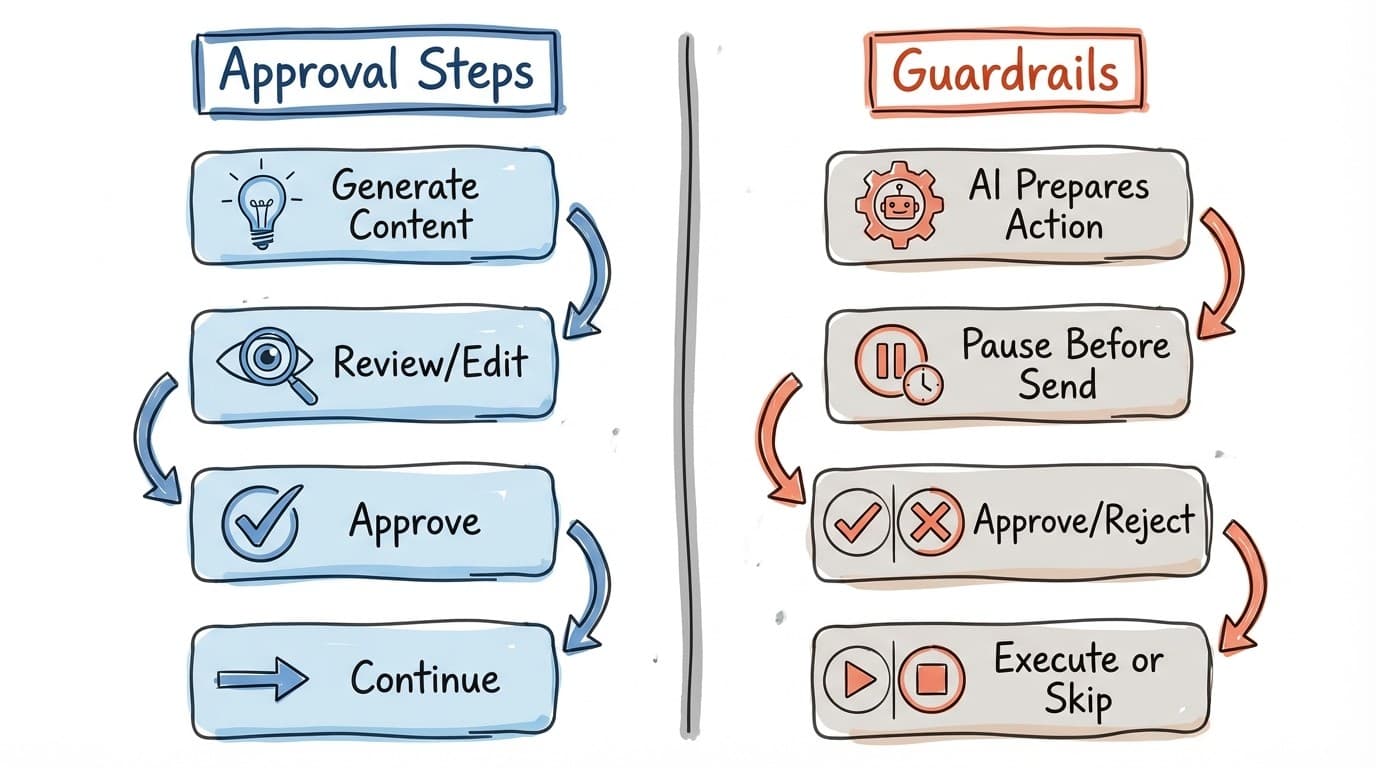
| Feature | Approval Steps | Guardrails (needsApproval) |
|---|---|---|
| Purpose | Review AI-generated content | Approve actions before execution |
| When it pauses | After generating content | Before executing a "send" tool |
| What you review | Content (text, lists, decisions) | Tool parameters (email body, etc.) |
| Can edit? | Yes, based on mode | No, approve or reject only |
| Step type | Separate step (type: "approval") | Option on prompt steps |
Approval Steps
Use Approval Steps when you want to review and potentially edit AI-generated content before proceeding. These are dedicated steps in your workflow.
When to use Approval Steps
- Reviewing draft content (emails, documents, posts)
- Selecting from AI-generated options
- Making go/no-go decisions based on AI analysis
- Editing or refining AI output before it's used
Available modes
| Mode | Interaction |
|---|---|
| basic-text | Edit rich HTML content |
| string-list | Reorder, edit, remove items |
| pick-one | Select exactly one option |
| pick-multiple | Select multiple options |
| decision | Yes/No with optional notes |
Example
// Approval step for email review
{
  "type": "approval",
  "name": "Review Email",
  "prompt": "Draft a follow-up email based on the meeting notes",
  "mode": "basic-text"
}
See Approval Steps for full documentation.
Guardrails on Prompt Steps
Use guardrails when you want to approve actions before they happen, not content before it's created. Enable needsApproval on any prompt step.
How guardrails work
- Prompt step runs normally
- When the AI attempts to use a "send" tool (email, SMS, etc.)
- Workflow pauses and shows you exactly what will be sent
- You approve or reject the action
- If approved, the tool executes; if rejected, it's skipped
- Workflow continues to the next step
When to use guardrails
- Before sending emails or messages
- Before posting to social media
- Before any external communication
- When you want AI to do the work but approve before acting
Example
// Prompt step with guardrails
{
  "type": "prompt",
  "name": "Send Report",
  "prompt": "Email the weekly report to the stakeholders list",
  "tools": ["sendEmail"],
  "needsApproval": true  // Pauses before email is sent
}
Choosing the Right Approach
Use Approval Steps when:
- You want to edit the content
- You need to select from options
- Content should be reviewed before being used anywhere
- The review is a major decision point
Use Guardrails when:
- You trust the AI's output
- You just want to approve an action
- It's a safety check, not content review
- You don't need to edit, just verify
Combining Both Approaches
You can use both in the same workflow for comprehensive oversight:
Step 1: Form (collect topic)
       ↓
Step 2: Prompt (research topic)
       ↓
Step 3: Approval [basic-text] (review/edit draft)
       ↓
Step 4: Prompt [needsApproval: true] (send email)
       ↓
Step 5: Output (confirm sent)
In this example, you review the content at Step 3, then approve the send action at Step 4.
Behind the Scenes
When a workflow pauses for approval, it creates an approval request:
Approval Step Request
{
  "schemaVersion": 1,
  "source": "step",
  "details": {
    "mode": "generated-content",
    "contentMode": "basic-text",
    "draftContent": "<p>Draft content...</p>"
  }
}
Guardrail Request
{
  "schemaVersion": 1,
  "source": "tool",
  "inputs": {
    "to": "team@example.com",
    "subject": "Weekly Report",
    "body": "..."
  },
  "details": {
    "mode": "guarded-execution",
    "tool": "sendEmail"
  }
}
Notifications for Approvals
Both types of approval can trigger notifications. Enable the approval trigger in your workflow's notification settings.
See Notifications for setup details.
Best Practices
- Always enable guardrails on steps that send external communications
- Use Approval Steps when content quality matters
- Don't over-approve - trust the AI for low-stakes outputs
- Enable notifications so approvers are alerted promptly
- Consider who should approve - use notification recipients wisely
- For high-stakes workflows, consider both content review AND action approval
Related
- Approval Steps - Full documentation on approval step modes
- Prompt Steps - Configuring guardrails
- Notifications - Alerting reviewers
- Building Workflows - Workflow design patterns